Last month I wrote about DNG becoming an ISO standard. Like any ISO standard, there are costs and benefits to adopting it into your workflow. It is up to you, whether you are an individual photographer or running a business, to decide if ISO DNG makes sense for how you work.
What is an ISO Standard?
According to ISO, standards are internationally agreed by experts. Think of them as a formula for the best way of doing something. That could be making a product, managing a process, delivering a service, or supplying materials.
In photography, ISO standards are everywhere. Your camera is held together by screws made to ISO specifications. The way your camera measures light is defined by ISO. Film formats like 35mm are ISO standards. Digital file formats such as JPEG, TIFF, and TIFF-EP are also ISO standards.
Most proprietary camera raw formats are based on TIFF-EP, with extra undocumented information added by manufacturers. That last part is where things start to break down.
Who developed ISO DNG?
ISO DNG was developed by ISO Technical Committee 42, which has been working on imaging standards since 1947. The committee includes camera manufacturers like Sony, Nikon, Canon, Panasonic, Hasselblad, Leica, Fujifilm, and OM Digital Solutions. It also includes software companies such as Adobe, Apple, Google, Microsoft, and DxO, along with professional photography organisations, cultural heritage institutions, and universities.
This is not a single company pushing its own agenda. It is a broad group of people who understand both the technical and practical needs of imaging.

Why ISO standards matter
ISO exists to remove trade barriers and improve interoperability. Without standards, everything becomes harder to connect.
Proprietary camera raw formats work against that goal. Every time a new camera is released, software developers need to reverse engineer the raw files to make them usable. That takes time, costs money, and carries legal risk. The bigger the company, the bigger the exposure.
You can see how messy this can get when legal disputes arise, such as the RED versus Nikon case over video compression patents.
The archival problem
There is also the issue of longevity. Proprietary raw formats risk becoming obsolete. Cultural heritage institutions need to plan for access not just in years, but decades.
There are nearly as many proprietary raw formats as there are camera models. Planning for all of them long term is not realistic.
TIFF has become the preferred archival format because it is well established, fully documented, and widely supported. DNG was developed to bring those same qualities to raw photography.
“But DNG is owned by Adobe”
Yes, Adobe created DNG. It also owns TIFF, and most proprietary raw formats already rely on TIFF-EP.
There is a lot of frustration with Adobe, particularly around subscriptions and past promises about perpetual licenses. That frustration is understandable. As a working professional, I find the subscription model works for my business, but I can see why others feel differently.
That said, DNG is separate from those concerns. If ownership alone is the issue, you would also need to reconsider TIFF and the raw formats your camera already produces.
Practical benefits of DNG
Whether your camera shoots DNG natively or you convert later, there are some clear advantages.

Settings stored in the file
DNG lets you save your adjustments directly into the file. With proprietary raw formats, writing metadata can be risky, so most software uses sidecar files. Those sidecars can easily become separated from the raw file. DNG avoids that problem and can even store multiple sets of adjustments from different software.
Embedded JPEG previews
DNG files include a JPEG preview that reflects your adjustments. This can be used for thumbnails or full-resolution previews, making image browsing much faster, especially in digital asset management systems. The format even allows multiple previews, although this is not widely used yet.
Image validation
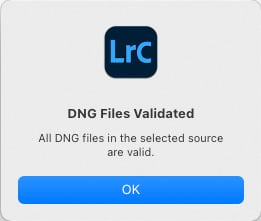
DNG can include a checksum to verify the integrity of the raw data. If something goes wrong, you will know. The clever part is that metadata changes do not trigger false warnings.
Better chances of future access
As an ISO standard with support from cultural heritage institutions, DNG is more likely to remain accessible long term than proprietary raw formats.
Downsides of DNG
DNG is not without its issues.
Support is still catching up
Right now, proprietary raw formats have broader support across cameras and software. Few manufacturers offer DNG as a native capture format. That may change over time, especially now that DNG is an ISO standard.
File updates can be slower
Saving changes into a DNG means rewriting the file. Compared to updating a small sidecar file, this can be slower, particularly with cloud storage.
Not all DNGs are equal
Like TIFF, DNG comes in different flavours. Compression options, preview sizes, and linear DNGs all affect how the file behaves. A linear DNG, for example, removes many of the benefits of a true raw file by baking in the demosaicing.
Final thoughts
In the end, the choice is yours. It is no different to choosing between raw and JPEG, Leica or Sony, Mac or Windows.
It also does not have to be one or the other. Some photographers use DNG exclusively. Others keep both DNG and their original raw files. For years, Pentax has offered the option to capture either DNG or proprietary raw in camera.
For me, DNG makes sense as a digital negative. It lets you store not just the raw data, but how you interpret that data, along with a built-in reference image. Like film negatives and prints in the days of Ansel Adams, it is about preserving both the capture and the intent.
Whether you are creating work for clients, archives, or just your family, the goal is the same. You want your images to be seen in the future. DNG is one way to help make that happen.